
AI Agent Usage
Free macOS app that shows what your AI coding actually costs — and what it produces. Tracks token usage and spend across Claude Code, Cursor, Codex, and Gemini; categorizes sessions (new features, bug fixes, refactors, docs); links AI work to commits and PRs; custom dashboards; spend forecasting. Private by design — nothing leaves your Mac. v1.2.0 now on the Mac App Store.
View on the Mac App Store →What it does
AI Agent Usage is a free macOS app that reconstructs the full picture of your AI coding spend and habits — from data that's already sitting on your Mac. No account required, nothing leaves your machine.
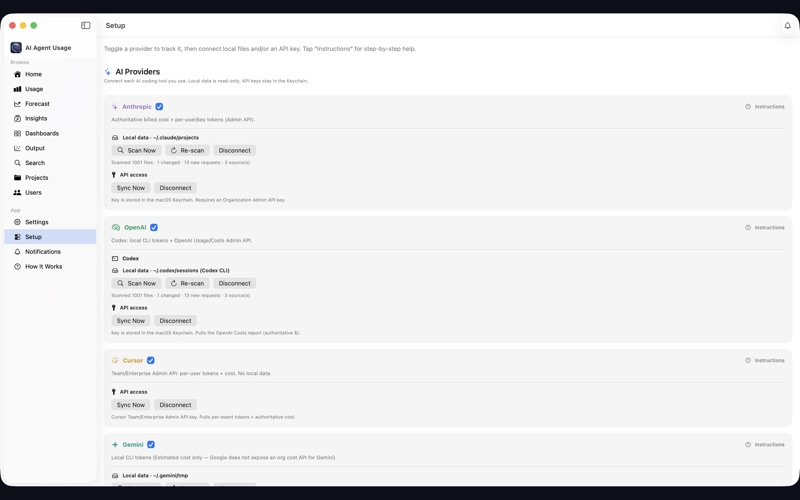
It reads the session transcripts and token logs written by Claude Code, Cursor, Codex, and Gemini into hidden local folders, then surfaces:
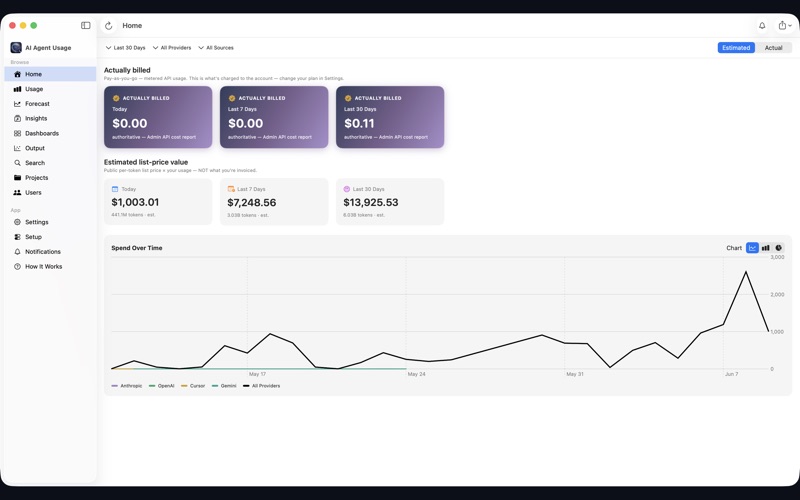
Real spend — token counts and estimated or authoritative cost, with an estimate-vs-actual toggle. Connect a provider Admin API key for authoritative numbers, or let the app price against published list rates on-device.
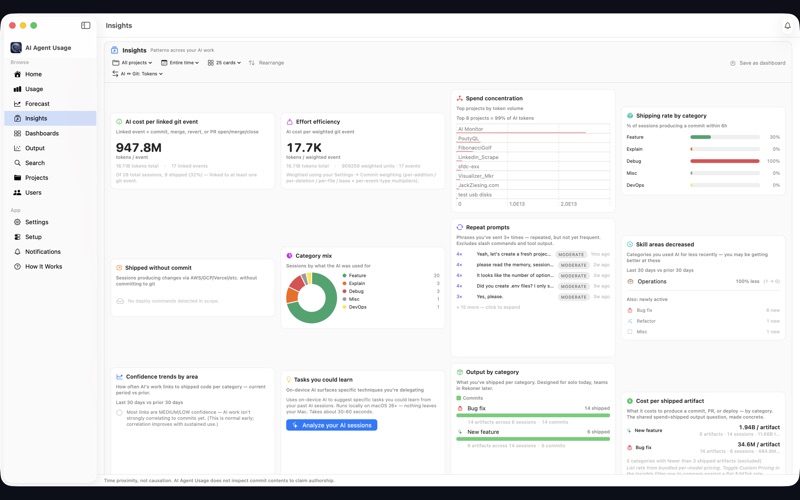
Session categorization — on-device LLM analysis tags each session as new features, bug fixes, refactors, documentation, learning, or analysis — and shows how that mix shifts over time and by project.
AI-to-shipped-code linkage — the Output tab connects AI sessions to the commits, pull requests, and deploys that happened around them, with confidence bands. It measures time proximity, not authorship, so you see cost-per-shipped-artifact without overclaiming.
Custom dashboards — pick exactly which insight cards to show, scope by project and date range, view in tokens or dollars, drag to reorder, and save named dashboards you can reopen.
Forecasting — project upcoming spend with low/expected/high bands across multiple horizons so budget surprises stop happening.
The story behind it
I've been using AI coding assistants heavily for the past several months — writing and reviewing code, updating documentation, investigating technical questions, improving communications. The productivity improvement was immediate and dramatic. Large projects I would have spent weeks on got done in days. It started to feel like I had a team of thousands of developers ready to build whatever I needed, and more importantly, a team that could tell me why some of the architectural avenues I was about to explore weren't worth going down.
As I increased my usage, I found myself staring at token counts. The numbers kept climbing — 10k, 50k, 200k tokens in a single session. I started doing the math. At list prices, extrapolating my daily usage to an annual number produced a figure larger than my salary. Monthly plan pricing made it manageable, but the disconnect between raw token counts and actual cost was genuinely confusing. I knew I wasn't paying list price, but I had no idea how my usage translated to either my personal subscription or what an enterprise budget conversation would look like.
So I built a Mac app to make that math visible. The first version was simple: ingest the token logs written to your home directory by Claude Code and other tools, price them against list rate or your own per-token rate, and show the running total. I shipped it to the Mac App Store — free.


v1.1: from cost tracker to usage analytics
Once the cost picture was clear, the more interesting question became: what am I actually spending all those tokens on? I knew the transcripts I was generating at the end of every AI session — session handoffs, project journals, resume prompts — contained rich information about the type of work I was doing. Bug fixes look different from building new features. Learning and research look different from grinding through a migration.
v1.1 added on-device session categorization using Apple's Foundation Models framework. Each transcript gets tagged into categories (new features, bug fixes, refactors, documentation, learning, analysis), and the Insights tab shows how your mix shifts by day, project, and hour. The Output tab links AI sessions to nearby git commits and PRs using time proximity — not authorship — so you can start seeing a cost-per-shipped-artifact number without overclaiming credit.
v1.2: dashboards + GitHub integration
The latest version ships a full Dashboards tab — pick exactly which insight cards to show, scope them by project and date, view in tokens or dollars, and save named layouts. Insights and Output are now separate tabs so each gets the room it deserves. GitHub sync got a one-click flow that pulls all commits and PRs in a single shot. And there's an app-wide text size control for accessibility.
Under the hood: reliability and privacy hardening throughout, a refreshed app icon, and "Clear Local Database" now fully erases everything — transcripts, session digests, the works.
What's next
The direction I'm most interested in is turning the cost and productivity data into something genuinely actionable — not just telling you what you spent, but helping you understand which habits are producing the most output per token and where you might be burning tokens without commensurate results. AI adoption is hard to measure; this app is an attempt to make the measurement concrete.
AI Agent Usage is free on the Mac App Store, compatible with any Apple Silicon Mac running macOS 15 or later. Nothing requires an account or leaves your machine.